A free WordPress plugin
Tablift
Product Tabs for WooCommerce. Add custom and reusable tabs to your product pages, control the default tabs, and safely import tabs from Custom Product Tabs (YIKES).
Tablift 1.0.0 is live at wordpress.org/plugins/tablift.
What it does
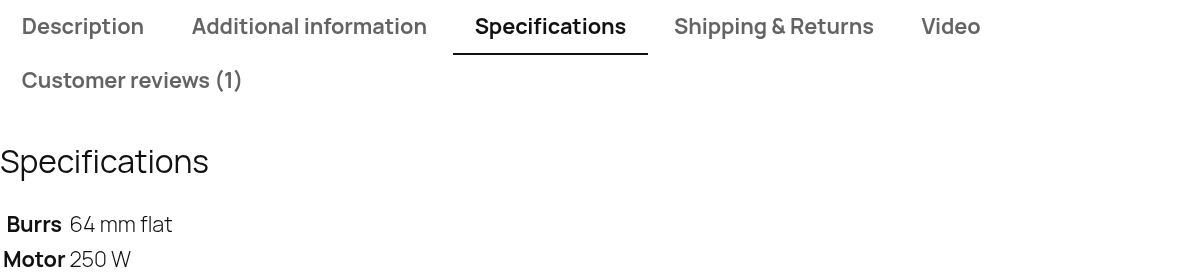
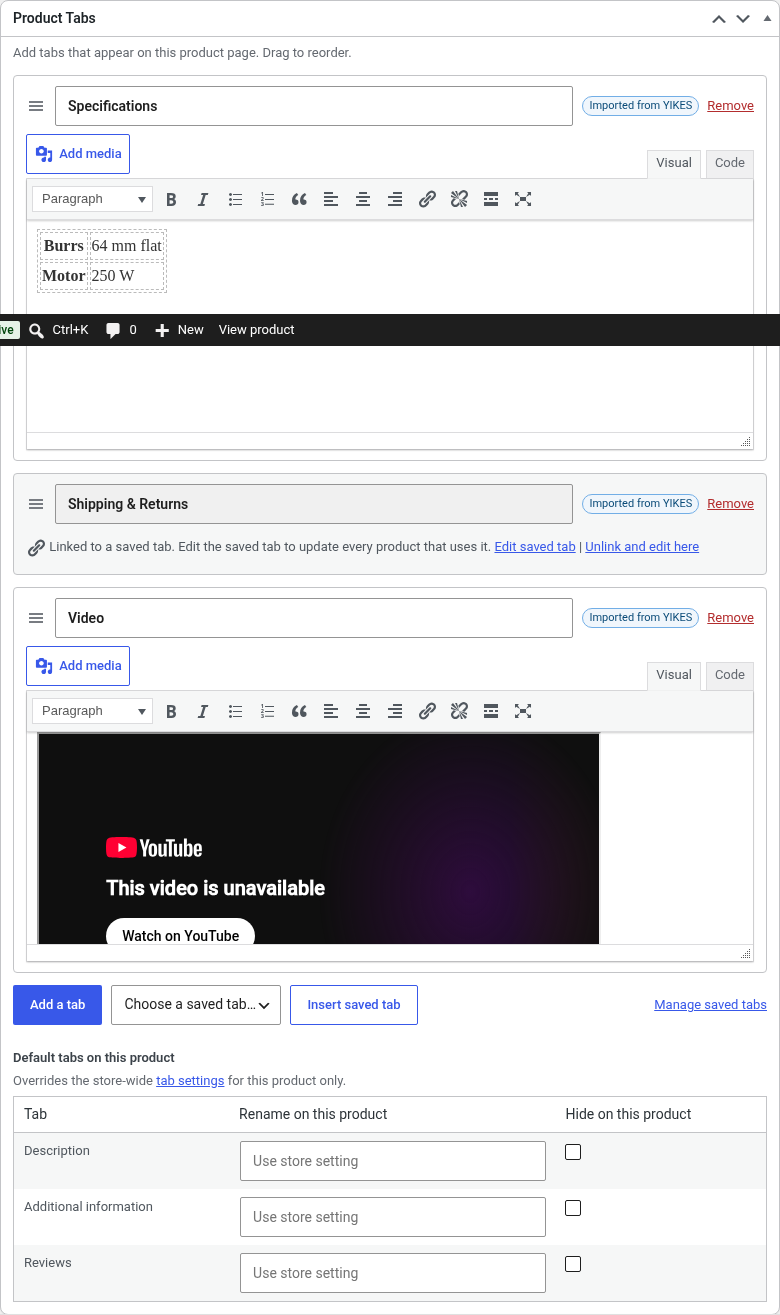
- Unlimited custom tabs per product Give a product extra tabs such as specifications, a size guide, shipping and returns, FAQs or a video. Each tab has a title and the full WordPress editor, and you can drag to reorder them.
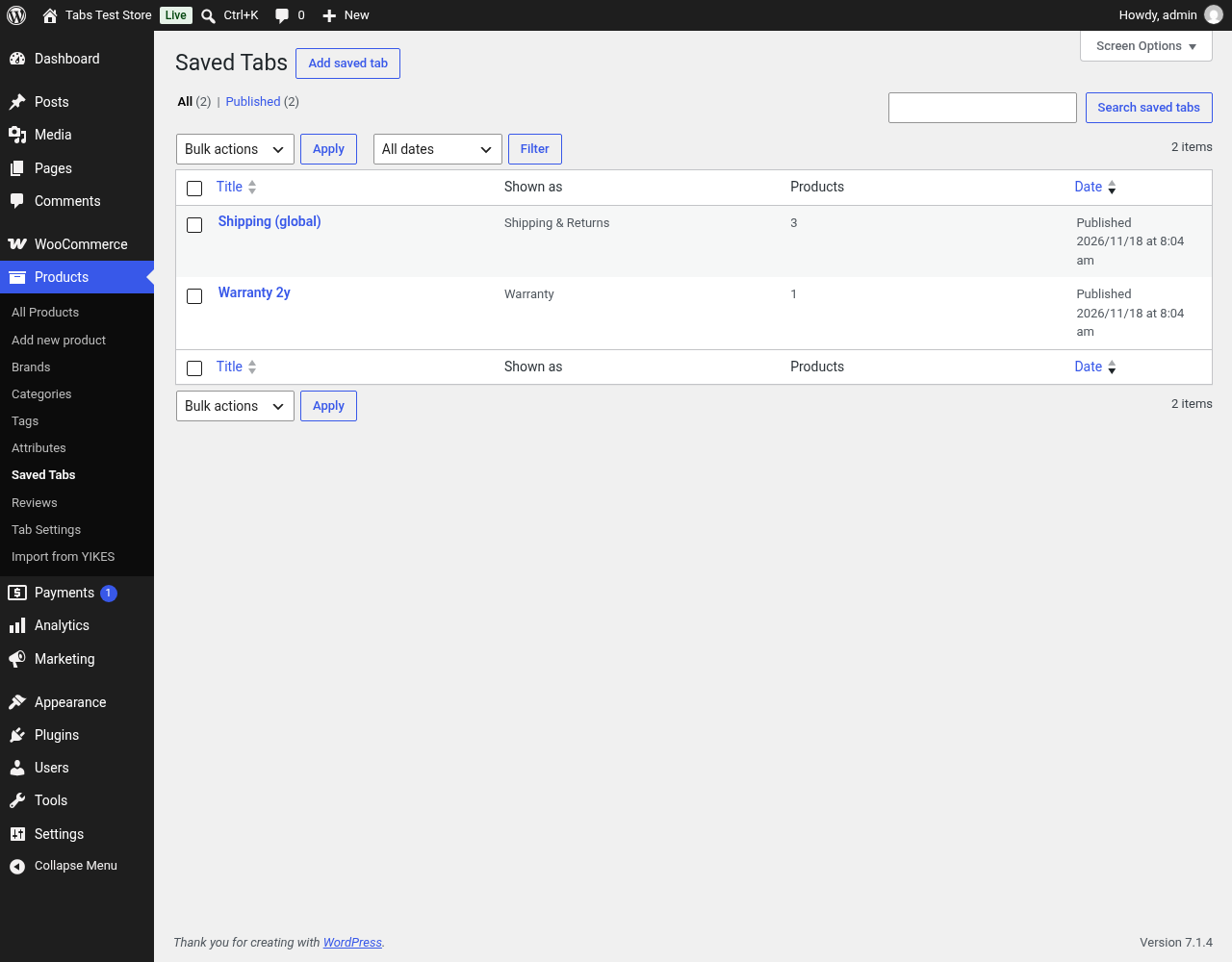
- Saved tabs you can reuse Write a tab once — for example “Shipping & Returns” — insert it on any product, and edit it in one place. Every linked product updates.
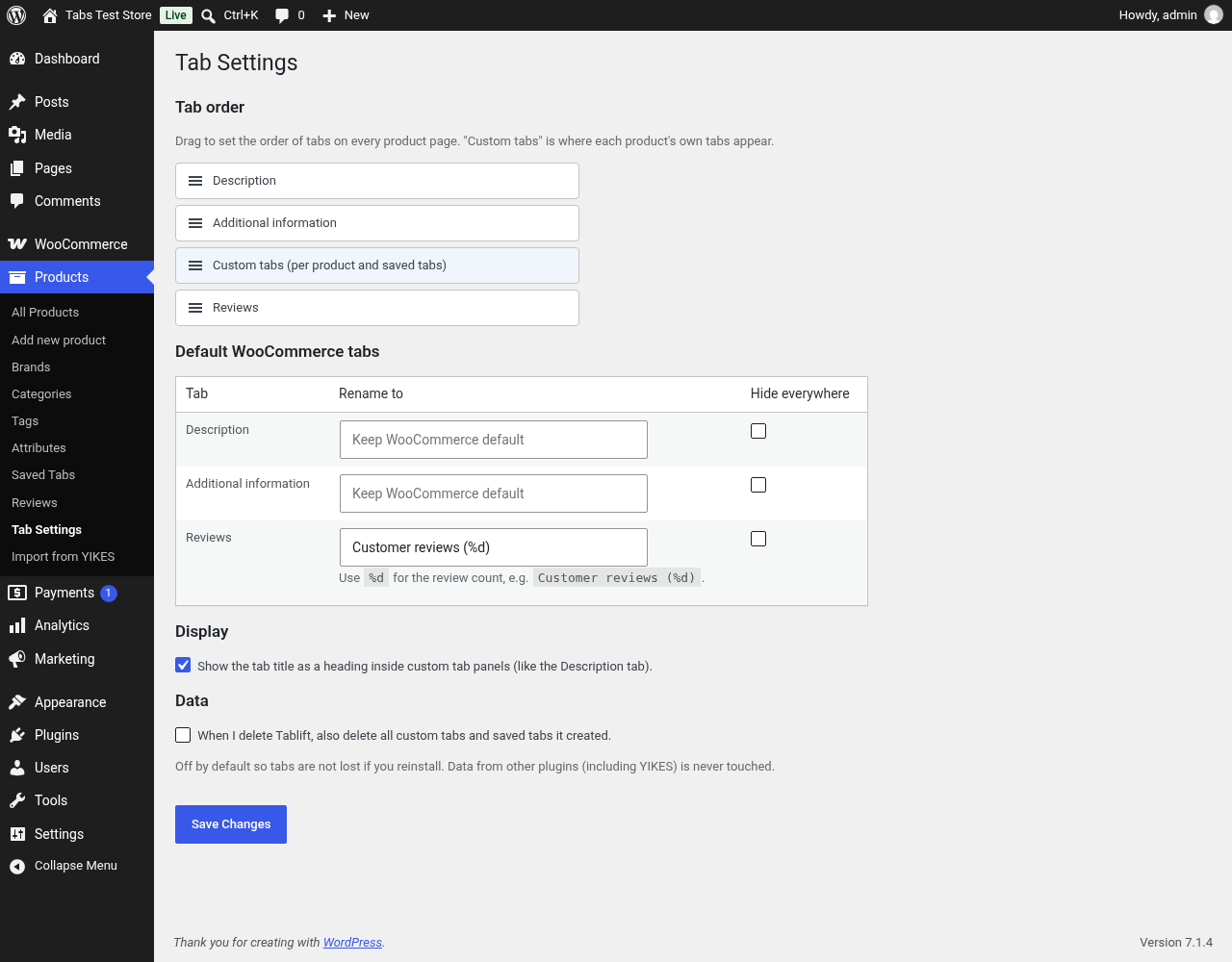
- Control over the default tabs Rename, hide or reorder the Description, Additional information and Reviews tabs store-wide, and override that on individual products.
-
Looks like the rest of your theme
Tablift uses WooCommerce’s standard tab markup, so tabs follow your theme and stay crawlable. A
[tablift_tab]shortcode is there for page builders and custom templates. - No tracking, no ads, no external requests Everything in this plugin is free.
Moving from Custom Product Tabs (YIKES)
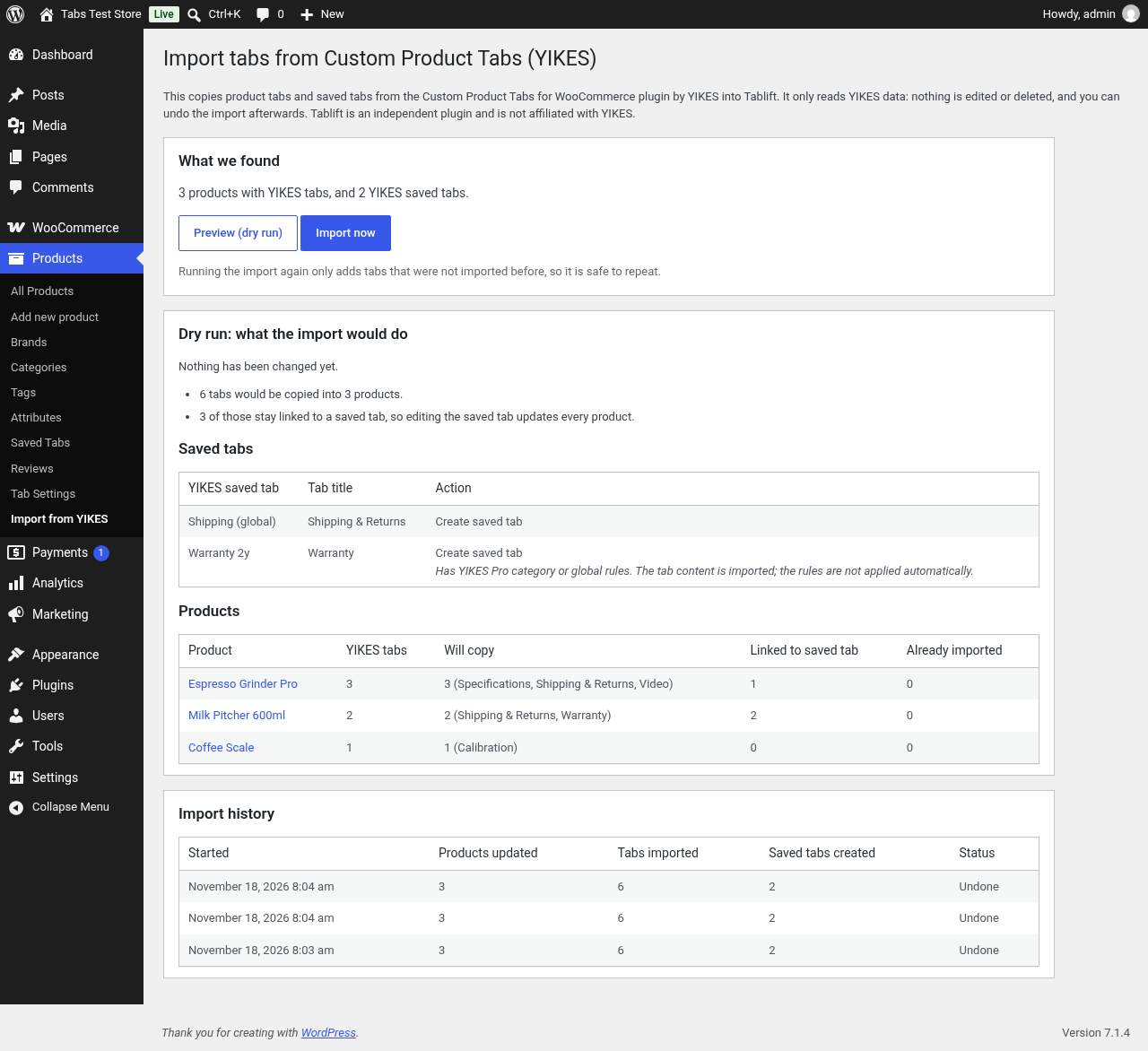
If you already use the Custom Product Tabs for WooCommerce plugin by YIKES, Tablift can copy your product tabs and saved tabs in one click.
The importer shows a dry-run preview first, runs in small batches so large catalogs don’t time out, never edits or deletes anything YIKES stored, and can be undone. You can keep YIKES installed while you check a few product pages, then deactivate it when you are ready. Its data stays in your database, so you can switch back.
Tablift is an independent plugin made by Neushua. It is not affiliated with, endorsed by, or connected to YIKES Inc. or Code Parrots. “Custom Product Tabs for WooCommerce” is mentioned only to describe what the importer reads.
Screenshots
Support and contact
Support is through the WordPress.org plugin forum.
For other questions, email accounts@neushua.com.